
OpenStudio
NLR's OpenStudio® is a free, open-source collection of tools that supports building energy modeling with EnergyPlus®.
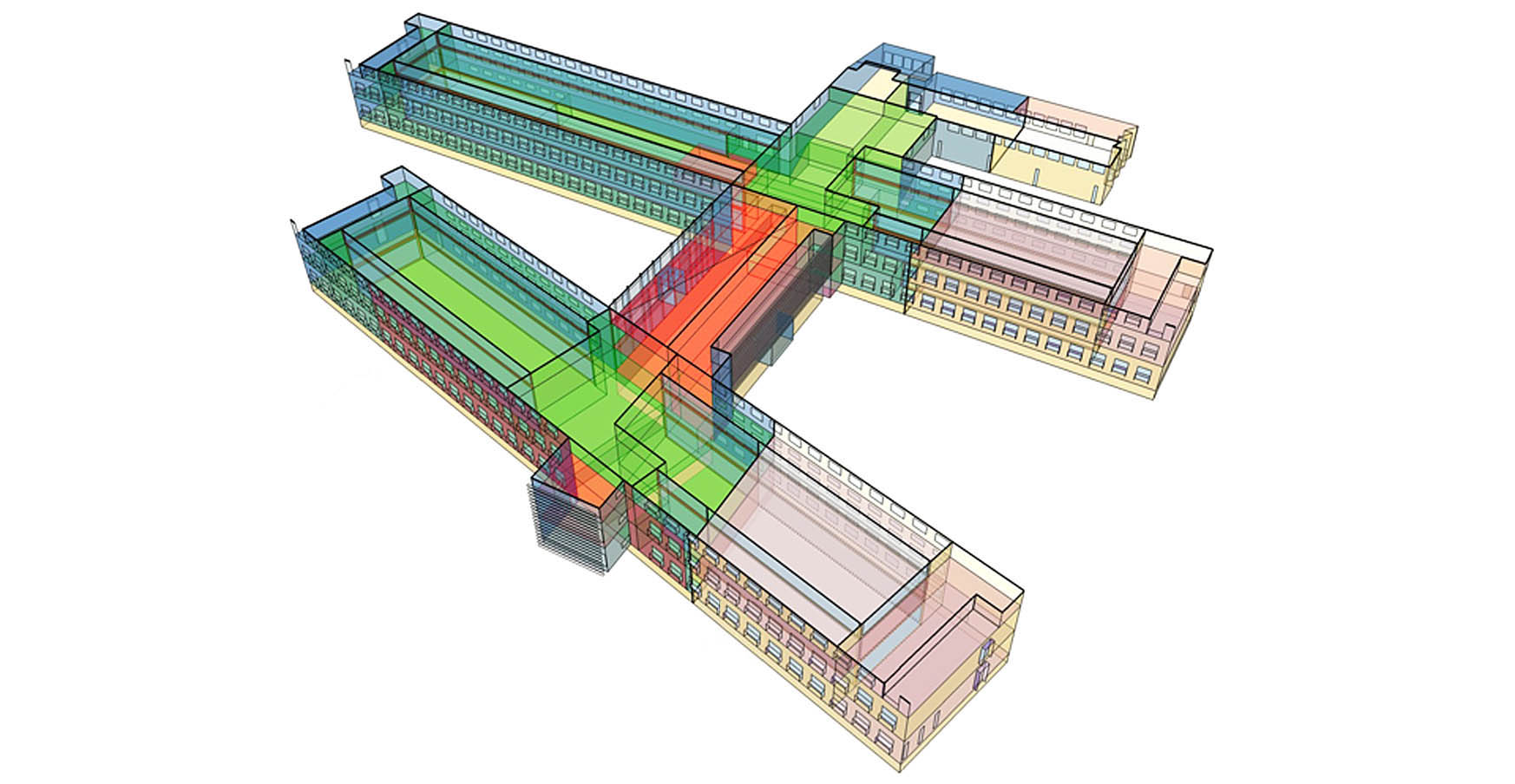
OpenStudio leverages Google SketchUp to create 3D building geometry. Designers used the program to create energy models for NLR's Research Support Facility. Illustration by David Goldwasser, National Laboratory of the Rockies
OpenStudio is a cross-platform graphical user interface built around EnergyPlus, an energy simulation program used to model energy consumption and water use in buildings. Developed by NLR researchers, OpenStudio makes EnergyPlus easier to work with by providing tools for creating virtual building models, simulating their energy use, testing strategies for improving building performance, and analyzing results.
OpenStudio SDK on GitHub is the underlying software development kit that powers the suite of OpenStudio tools. It gives developers the technical foundation needed to create, modify, and analyze building energy models and automate workflows.
OpenStudio is intended for users who need to understand, compare, or optimize building energy performance. That includes:
Energy modelers to build detailed virtual building models and simulate their energy use
Architects and engineers to test design options and energy-consumption strategies
Building owners and managers to explore potential improvements or upgrades to improve energy use.
Process
1. Create the Virtual Building Model in OpenStudio
OpenStudio allows users to create a virtual building model and test different parameters to determine the building's energy performance. Testing parameters may include the building's geometry, lighting power, HVAC systems, operating schedules, occupancy, and other energy-related characteristics. OpenStudio also supports daylight analysis using a feature called Radiance, and can test many different combinations of energy use measures.
The OpenStudio platform enables workflow automation using a feature called Measures, reusable scripts or instructions that automate specific changes to a building model. For example, a measure can automatically change a building's lighting, HVAC system, or other characteristic and then help evaluate the impact. Users can access NLR's Building Component Library for reusable Measures.
2. Export Model to EnergyPlus
OpenStudio passes the building model to EnergyPlus, the underlying simulation engine that then calculates how the building is expected to perform.
3. Analyze the Results
The simulation results help users understand how the building performs by exploring different scenarios.
OpenStudio Tools
The OpenStudio ecosystem on GitHub supports creating, modifying, simulating, and analyzing results.
OpenStudio SketchUp Plug-In
The OpenStudio SketchUp Plug-in allows designers and modelers to draw the building's 3D shape while adding information that EnergyPlus needs to analyze its energy use.
OpenStudio Application
OpenStudio Application is the visual open-source desktop program that allows users to create and edit virtual building models for energy analysis. Using this tool, modelers can detail building parameters/characteristics without writing code.
Parametric Analysis Tool
The Parametric Analysis Tool runs different combinations of measures so users can compare the results.
OpenStudio Standards
OpenStudio Standards helps energy modelers automatically create standardized building models and apply standard rules for comparing building performance.
Rather than manually creating every assumption for a building, OpenStudio Standards automates the construction of prototype building models (office, hospital, primary school) as well as the transformations associated with ASHRAE Standard 90.1 Appendix G "Performance Rating Method," which is commonly used for performance-rating calculations, code-related work, LEED certification, and utility incentive calculations.
OpenStudio Server
OpenStudio Server allows modelers to run hundreds or thousands of combinations at once by automating and scaling those simulations.
Contact
Share

Last Updated Oct. 30, 2026